Choose a Search Engine Without AI Answers
A search engine without AI answers and a browser filter solve different problems. You can keep Google and change its results view, hide supported modules locally, or choose another engine with its own controls.
On this page
Search engine without AI: first choose what to keep
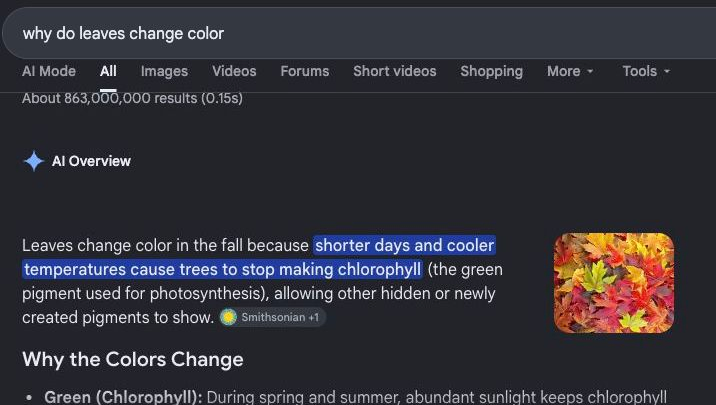
Decide whether you need Google’s ranking, its image and map modules, or just links. A search engine without AI can change the ranking; a Google filter changes the view. A local extension hides selected modules. Switching engines changes ranking and coverage.
Search engine without AI versus a different browser
Chrome, Safari, Edge and Brave are browsers. They can open different search engines. Switching browsers alone does not guarantee that Google’s generated summary disappears. Check the address of the result page before changing settings or installing a tool.
Search engine without AI by using Google Web
Google’s Web filter is the straightforward choice when you want webpage links. Search Google, select Web beneath the query and look under More if necessary. Our Google Web search form opens that view directly for the words you enter.
Web also removes rich modules. Choose All to restore them. It suits occasional searches and phones, but does not disable Google’s features across your account.
Search engine without AI for one query
Open a sample Google Web search. Compare the selected filter and query before deciding whether to save a bookmark. A bookmark to one completed search repeats that query; a bookmark to the form lets you enter a new one.
Search engine without AI while keeping Google cards
Our desktop extension hides supported AI Overview and AI Mode elements inside Google.com’s All view. It leaves ordinary result links in place and offers a toolbar pause switch. Basic AI hiding is free and needs no account. Optional Pro filters cover other modules and saved rules.
Search engine without AI and selective filtering
A browser filter changes the display locally. It does not rewrite Google’s answer, prevent every AI request or change other people’s results. Test a query where the summary is visible before filtering, then pause to confirm that you can restore it.
See the Chrome installation and permissions guide and the Free and Pro plans for the exact feature boundary.
Search engine without AI using DuckDuckGo’s option
DuckDuckGo documents noai.duckduckgo.com as a way to use its search with its optional AI features turned off. This is DuckDuckGo’s search engine, not Google with a different layout. Results, ranking and website coverage can differ.
Read the provider’s explanation before making it your default. Test your regular queries and the image or map results you need. A search engine without AI cannot guarantee that destination pages were written without AI.
Search engine without AI does not identify all AI content
Disabling generated answers is different from detecting or excluding every AI-written page. None of the display methods on this page makes that broader promise.
Search engine without AI on iPhone and Android
Open the chosen engine in your mobile browser and test a fresh query. For Google, use Web. For a different engine, follow its own current settings. Our desktop extension is not a filter inside the Google app or another mobile app.
On Safari, save the Google Web search form as a favorite if it suits your routine. On Android, compare the browser and Google app routes separately. A site shortcut leaves your default engine unchanged.
Search engine without AI across devices
Check each device: a local desktop filter does not change your phone.
Search engine without AI questions
Is a search engine without AI free?
The Google Web route, our basic desktop AI hiding and the DuckDuckGo option described here can be tried without buying Pro.
Can a search engine without AI preserve every Google module?
A different engine cannot promise Google’s exact layout. For supported Google pages, a targeted local filter offers a narrower display change.
How do I undo a search engine without AI choice?
Return to All, pause your filter, or restore your browser’s previous default engine, depending on the method you changed.
Does a search engine without AI stop all sponsored results?
No such guarantee follows from hiding AI answers. Advertising and answer summaries are separate features; inspect the particular engine or optional filtering rule.