AI Overview uBlock Origin: Filter and Restore Guide
The AI Overview uBlock Origin approach depends on which blocker and browser you have. Use element-picking controls, test the surrounding container and keep a way to undo the rule.
On this page
AI Overview uBlock Origin version check
Check the full blocker name and version. uBlock Origin and Lite use different extension platforms; older instructions may not apply to your current browser.
AI Overview uBlock Origin Lite controls
Consult the current Lite FAQ and release notes. Do not assume that every Lite version lacks custom filters or element picking. Check the controls actually available in your installed version before changing filtering mode or website permissions.
AI Overview uBlock Origin element-picking approach
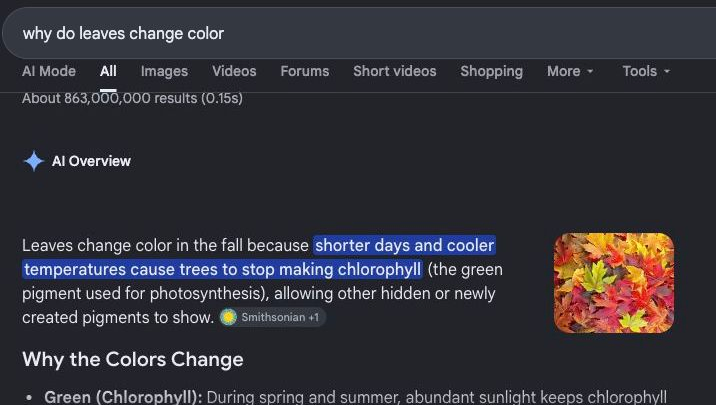
Open a regular Google result where the overview is visible. Start the blocker’s element picker, if offered, and highlight the entire summary container. Preview the effect before saving. The target should include the summary’s own wrapper without containing ordinary result links.
- Keep the original query and wait for Google to finish inserting the summary.
- Inspect the highlighted boundary and preview what disappears.
- Check that the first normal result remains visible and clickable.
- Save only after you can restore the module by disabling the new rule.
AI Overview uBlock Origin rule boundaries
A rule that matches a small text node can leave the parent container’s height behind. A rule that matches a broad results wrapper can hide useful links. Selecting the right boundary matters more than copying a selector that happened to work on another account.
AI Overview uBlock Origin blank-space diagnosis
For a leftover gap, pause the rule and compare the same page. Check whether it belongs to the summary’s wrapper or another module; Google’s structures vary.
Remove the most recent custom rule if ordinary links disappear. Use saved-filter controls to undo that rule. For layout changes, note the query and browser version so you can retest.
AI Overview uBlock Origin versus network blocking
Hiding a module is not proof that its generation request was prevented. Do not promise lower server computation, network savings or replacement human answers merely because the visible panel is gone.
AI Overview uBlock Origin alternative without writing rules
Our Get Rid of AI Overview extension provides a toolbar switch for supported Google.com results. Basic AI Overview and AI Mode hiding is free. It keeps filtering preferences locally and lets you pause when you want the original result page.
Keep your existing blocker if it meets your needs. Try a targeted filter for a simpler switch. Avoid overlapping filters while comparing the effect.
AI Overview uBlock Origin free Web fallback
Google’s Web filter offers a separate links-focused view. Choose Web beneath the search field or open our Google Web search form. Select All to return. This does not require a custom selector and can be useful when you cannot install or update a blocker.
AI Overview uBlock Origin on a phone
Desktop add-on availability does not establish mobile support. On iPhone, iPad or a browser without the relevant blocker, start with Google Web. See our Safari and Android guides for that route.
AI Overview uBlock Origin questions
Is an AI Overview uBlock Origin rule permanent?
A saved rule can persist in your browser, but a Google layout change can make it stop matching. Keep a recovery path.
Can AI Overview uBlock Origin rules keep all ordinary results?
They can target a narrow module, but you must check the specific selector. A broad parent selector can remove useful content.
Does an AI Overview uBlock Origin fix remove PAA?
Not automatically. People Also Ask is a different module. Use its own rule or our optional Pro filter if you want the whole box hidden.
Do I need Pro for an AI Overview uBlock Origin alternative?
No. Our basic AI hiding is free. Free and Pro plans explain the optional extra filters and saved rules.